The week you fly in for is not on the agenda.
The sessions are half of it. The other half is the dinner, the rooftop, the mixer where you actually meet people. This is where those live, for whichever Salesforce conference you are at.
Stop hunting through five group chats.
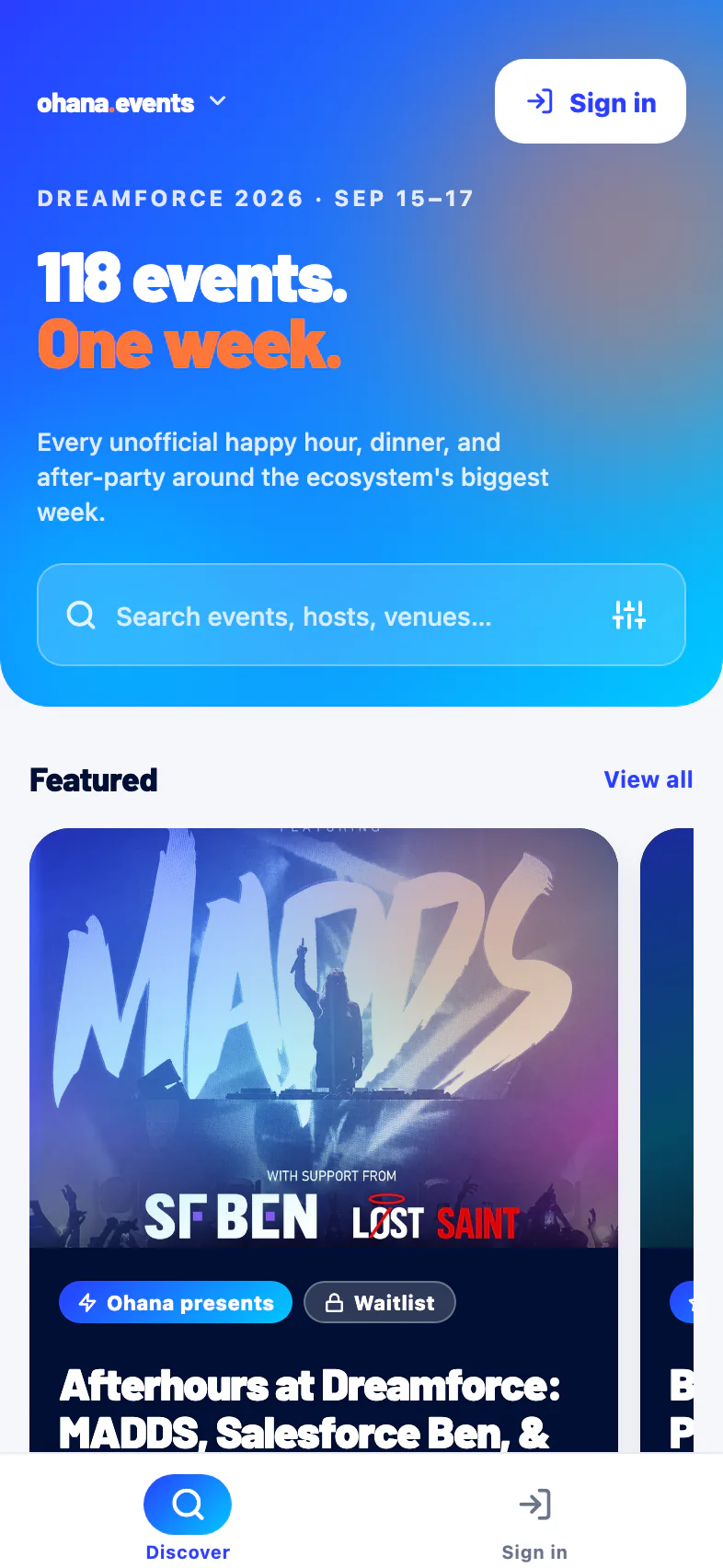
Right now the side events are scattered across Slack threads, spreadsheets, and a dozen separate invite links. The app pulls them into a single feed for the conference you are attending.
- See the whole week before you make an account.
- Filter by night, event type, or neighborhood.
- Search events, hosts, and venues in one bar.
Two kinds of events, one tap each.
Open RSVP
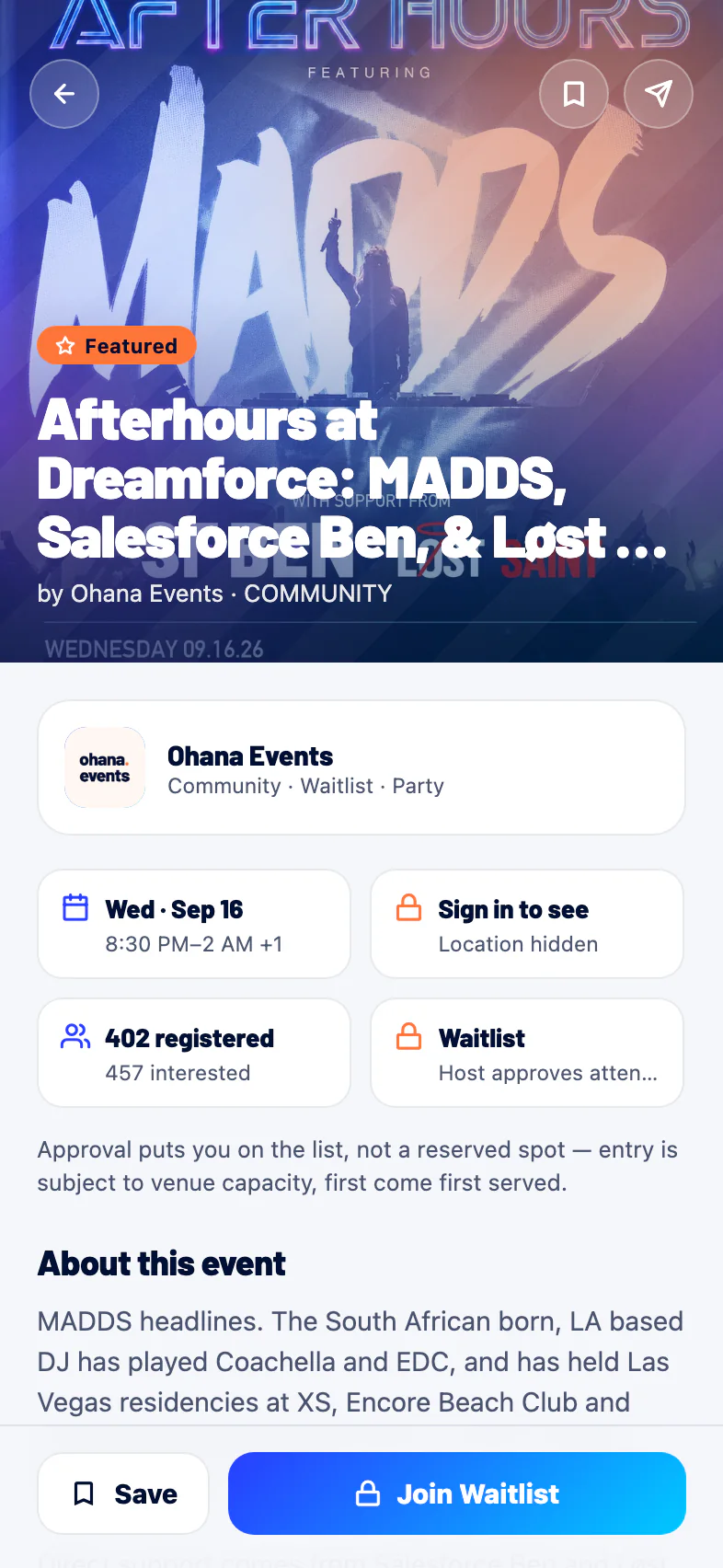
Instant. Tap register and you are on the list. Good for happy hours, mixers, and community meetups that want a full room.
Request to join
For invite-only dinners and receptions. You send a short note with your request, and the host approves, waitlists, or declines. You always know where you stand.
Register elsewhere
Some events run their own signup on an outside link. The app sends you straight there, so you are never guessing which events still need a separate step.
See the exact spot the moment you are in.
Plenty of the best events keep their exact location private so they do not get crashed. That is a feature, not a hassle.
- Up front you see the neighborhood, so you can plan your night.
- The moment you register or get approved, the full address and a map pin appear.
- You always know who is hosting, tagged as a community, user group, partner, or sponsor.
Save it, plan it, remember it.
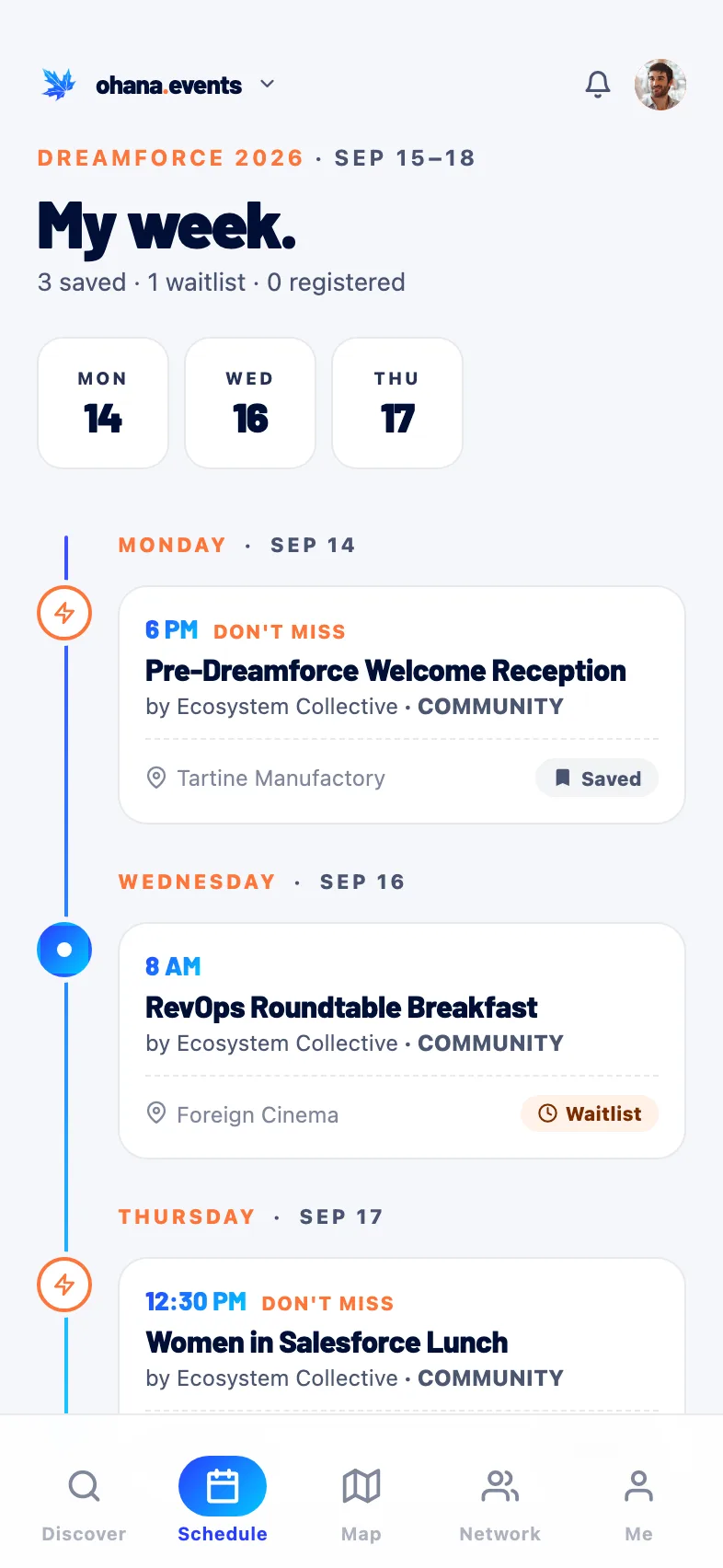
Everything you save lands on one running schedule, sorted by day, so your whole week sits in a single place instead of six calendar invites.
- One timeline of everything you saved, waitlisted, and registered for.
- Neighborhood on every card so you can plan the night.
- Waitlist and registered status at a glance, day by day.
Take it with you.
The native app is on the App Store now. Same events and map as the web app, which still runs in any browser.

Your next conference has a second agenda.
Open the feed and see the whole unofficial week. No account needed to look around.